Spyware buried deep within your mobile companion is far more than a petty nuisance, it is a stealth-born intruder capable of gnawing away at the quiet refuge you believe your device to be. It infiltrates without ceremony or signal, weaving itself into your digital routines with the same silent persistence as a dusk-born silhouette that clings to every movement you make.
What is Spyware and How Does it Get on Your Phone?
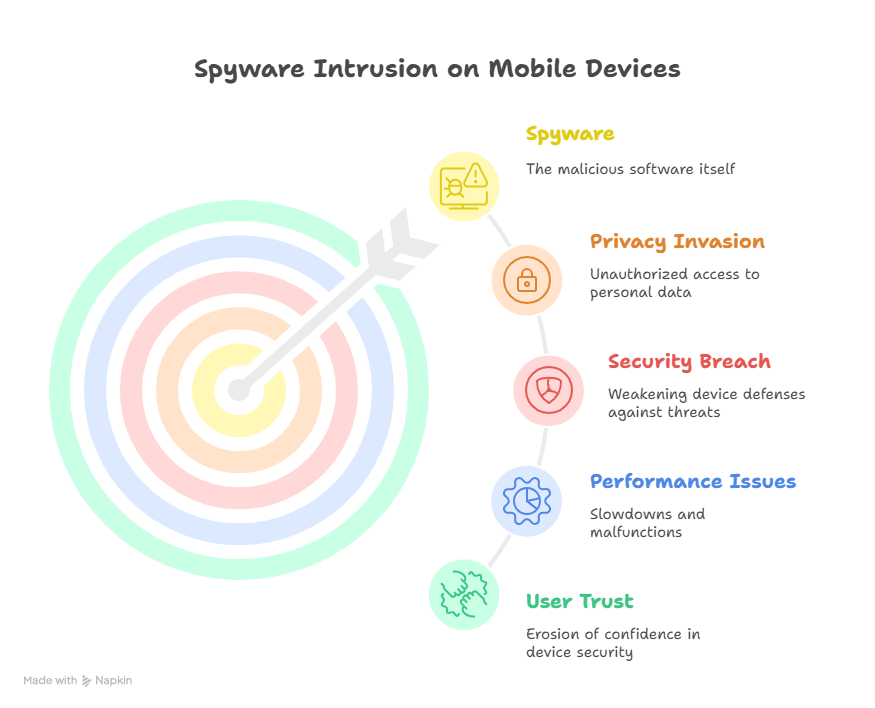
Spyware is a type of malicious software that secretly monitors your phone activities. It can track your calls, messages, and even access personal data without your consent. This software is often designed to remain hidden, making it hard for users to detect its presence.
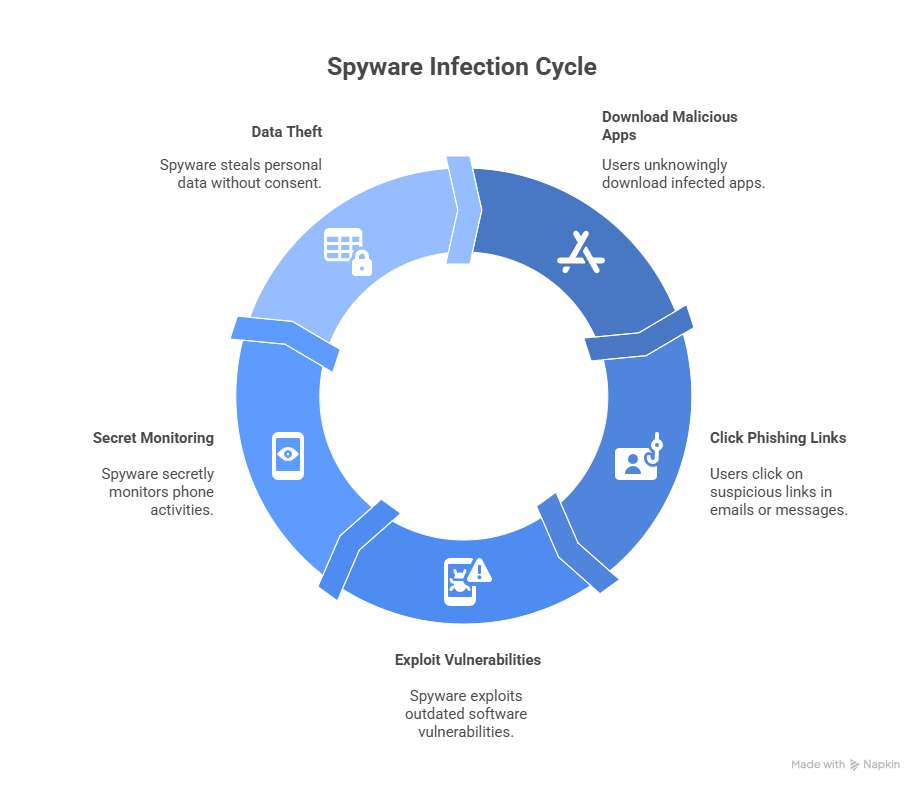
Spyware can get onto your phone in various ways. Here are some common methods:
- Malicious apps downloaded from unofficial sources.
- Phishing emails or suspicious links in messages.
- Exploiting phone vulnerabilities through outdated software.
To avoid spyware, it’s important to practice safe phone habits. Always download apps from trusted sources like the Google Play Store or Apple App Store. Keep your phone updated to protect against known security flaws. Be cautious with links and emails from unknown senders.
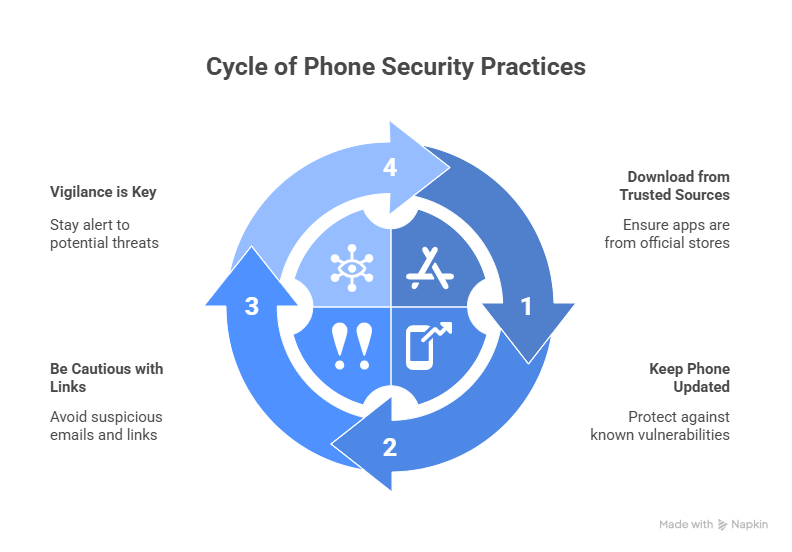
Implementing these precautions can significantly reduce the risk of spyware on your device. Remember, vigilance is key to protecting your phone and personal information from spyware threats.
Common Signs Your Phone Has Spyware
Spyware can affect your phone’s performance and behavior. There are several signs that may indicate the presence of spyware on your device. Being aware of these signs can help you act quickly to protect your privacy.
One of the first signs is unusual battery drain. Spyware can run constantly in the background, consuming a lot of power without you realizing it. If you notice your battery depleting faster than usual, it’s worth investigating further.
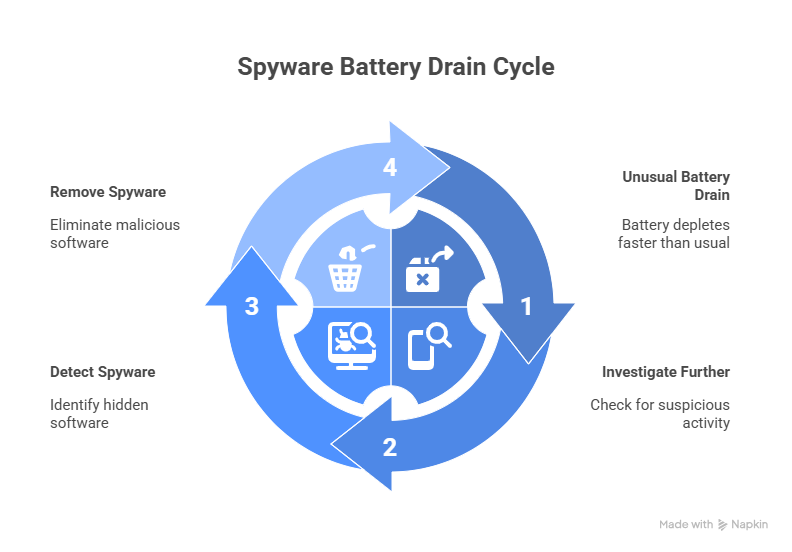
Increased data usage is another possible sign of spyware. Since spyware frequently communicates with external servers, your data usage could spike for no apparent reason. Check your data usage statistics for unexplained increases.
Pay attention to apps or services you don’t recognize. These could be spyware, disguising themselves as legitimate applications. Regularly review the list of installed apps and remove any that look suspicious or unfamiliar.
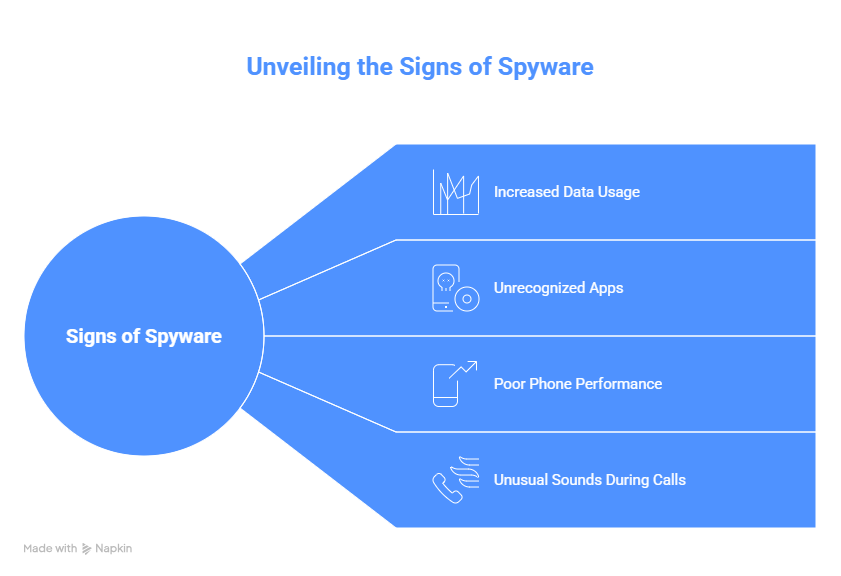
Additional signs include poor phone performance, such as sluggishness or frequent crashes. Spyware can overload your phone’s resources, leading to these issues. Lastly, listen for unusual sounds or static during calls, which might indicate unauthorized access to your phone’s microphone. Recognizing these signs early can help you take the necessary steps to secure your device.
How to Check for Spyware on Your Phone (Android & iPhone)
Checking for spyware on your phone involves several straightforward steps. Both Android and iPhone have tools and settings that can help you identify potential threats. Regularly checking your device can prevent spyware from causing significant harm.
Begin by reviewing your phone’s app list. Look for apps you don’t recognize or remember installing. These could be spyware posing as legitimate software.
Android Users:
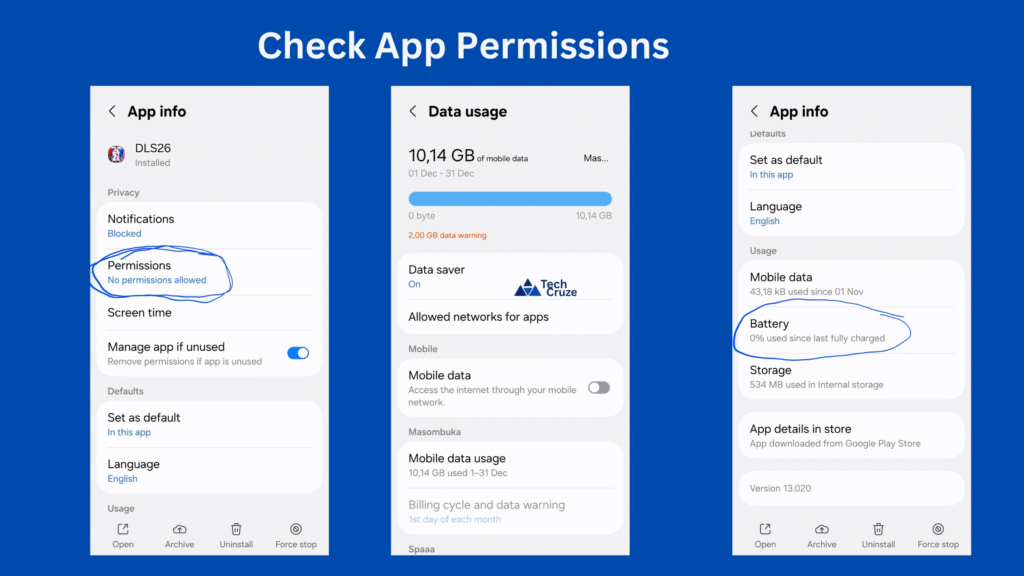
- Check App Permissions: Access your settings to view permissions for each app.
- Review Battery Usage: Spyware apps often consume significant battery power.
- Check Data Usage: Monitor which apps are using the most data.
iPhone Users:
- Visit the App Store: Check if any unknown apps have been installed.
- Inspect App Activity: Go to Settings and review the activity of each app.
- Monitor Battery Health: Look for unusual activity that could indicate spyware.

Check your settings for unusual changes or connections. Spyware can alter configurations to maintain access. For instance, verify that your phone’s tethering or VPN settings are untouched unless by you.
Lastly, keep an eye on system processes. Some spyware may disguise itself as legitimate system functions or processes. Examining your phone’s task manager or similar tool can help highlight processes that don’t belong. Regular diligence in these checks helps ensure your phone remains secure from malicious software.
Manual Methods to Detect Spyware
Detecting spyware manually requires a keen eye and a bit of patience. Start by paying attention to your phone’s performance. If it suddenly slows down or behaves erratically, spyware might be the cause.
Another manual method is to monitor data usage. Spyware often transmits data in the background, causing unexpected data spikes. Check your data usage regularly for any unusual activity.
Steps to Manually Detect Spyware:
- Inspect Phone Bills: Look for unfamiliar charges or fees.
- Review Background Processes: Spot rogue apps through task manager.
- Check for Overheating: Unnecessary background processes can heat up your device.
Observing your phone’s battery is also crucial. Rapid battery drain without heavy usage could indicate spyware’s presence. Regularly checking these elements helps you stay ahead of potential threats.
Lastly, be cautious about the permissions you have granted. Check app permissions regularly and withdraw those that seem excessive for an app’s functionality. Keeping tabs on these manual indicators can greatly enhance your device’s security and privacy.
Using Security Apps for Spyware Detection
Security apps offer an efficient way to detect spyware. They scan your phone for potential threats and provide solutions to fix them. Make sure to download apps from trusted sources like the Google Play Store or Apple’s App Store.
These apps come with features that can identify and highlight suspicious activities. They can automatically detect unwanted installations and send alerts about them. This proactive approach saves you time and effort compared to manual checks.
Key Benefits of Security Apps:
- Automated Scans: Detect threats without manual intervention.
- Real-Time Protection: Alerts for new spyware.
- Detailed Reports: Insights into app behaviors.
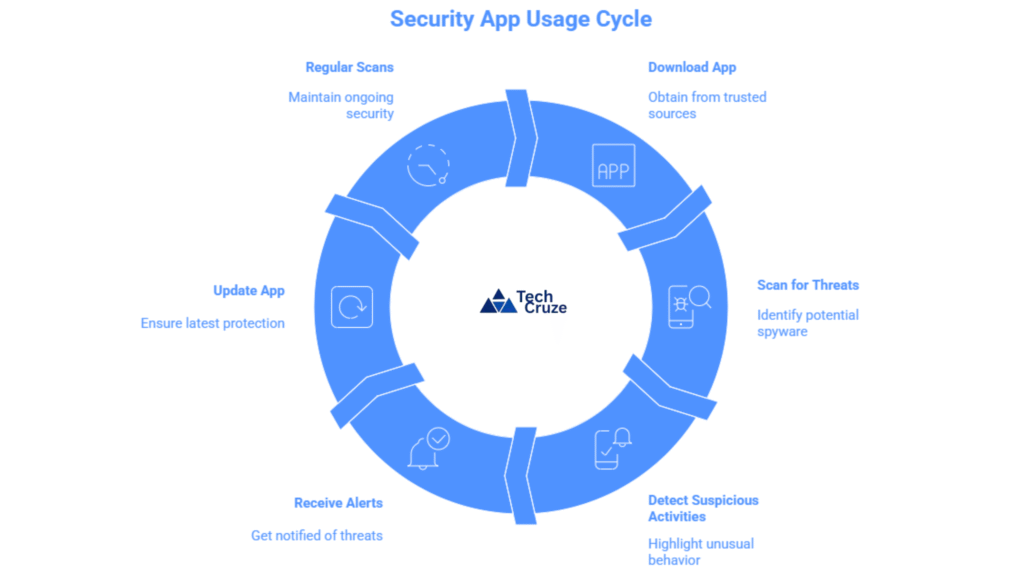
Consider apps with high user ratings and positive reviews. Look for additional features like VPN services for added security. Always keep the app updated to ensure it catches the latest threats. Using security apps as part of your spyware detection strategy can significantly enhance your phone’s security. Regular scans provide peace of mind, knowing your device is protected.
How to Remove Spyware from Your Phone
Removing spyware from your phone requires a few decisive steps. Start by uninstalling any suspicious or unfamiliar apps. These apps might have been installed without your consent and could be the source of the spyware.
Steps to Remove Spyware:
- Uninstall Suspicious Apps: Remove unknown or untrusted apps.
- Clear Browsing Data: Delete temporary internet files and cookies.
- Factory Reset: Reset your phone to its original settings.
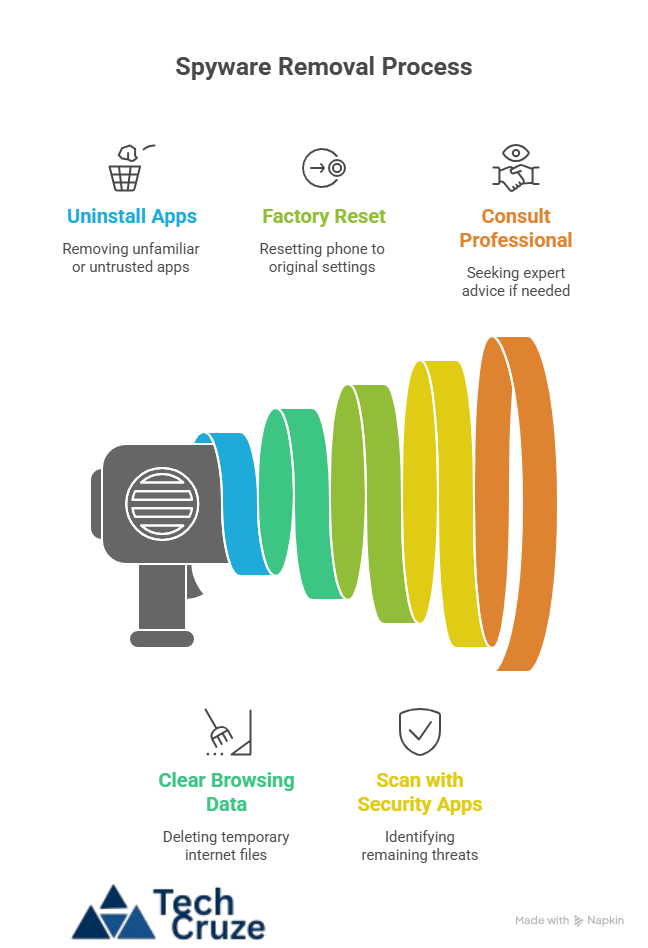
Use security apps to run a scan before reinstalling your apps and data. This will help in identifying any remaining threats. If necessary, consult with a professional. They can provide insights and ensure your phone is free from any lingering spyware. By taking these steps, you safeguard your privacy and maintain your device’s integrity.
Frequently Asked Questions About Spyware
Understanding spyware can be overwhelming. Here are answers to some common questions you might have. These insights can help in recognizing and dealing with spyware effectively.
Can spyware be on both Android and iPhone?
Yes, spyware can affect both Android and iPhone devices. While the operating systems differ, both can be targeted. It’s important to stay vigilant regardless of your device.
Is “Companion Device Manager” spyware?
No, “Companion Device Manager” is a legitimate system feature. It helps manage connected devices, not a spyware tool.
How can I tell if my phone is being monitored?
Signs of monitoring include excessive battery drain and unusual data usage. Also, watch for lag or overheating during normal use.
What should I do if I suspect spyware?
Start by checking for unfamiliar apps. Perform a full antivirus scan and remove anything suspicious. Consider a factory reset if needed.
Can spyware access my private information?
Yes, spyware can access your contacts, emails, messages, and even your location. Always keep your phone secured to protect your privacy.
How often should I check for spyware?
Regularly monitor your phone, ideally once a month or after installing new apps. Stay updated on the latest spyware tactics.
How to Protect Your Phone from Future Spyware Attacks
Prevention is key when dealing with spyware. Taking proactive steps can significantly reduce the risk of future infections. It’s essential to incorporate these practices into your daily routine.
Start by keeping your operating system updated. Updates often include patches for security vulnerabilities that spyware exploits. Don’t ignore those prompts for system updates.
Be cautious about app downloads. Install apps only from reputable sources like Google Play or the Apple App Store. Unofficial sources may host malicious apps.
Consider the following precautionary measures:
- Enable two-factor authentication for added security.
- Regularly review app permissions and adjust if excessive.
- Use strong, unique passwords for all accounts.
- Avoid using public Wi-Fi networks whenever possible.
- Employ a virtual private network (VPN) for safer internet browsing.

Educate yourself on the signs of spyware. Stay informed about the latest security news and threats. Knowing what to watch for can help you act swiftly if threats arise.
Taking these steps will help maintain your phone’s security and peace of mind. Protect your device and your personal information from potential spyware attacks.
Final Thoughts: Stay Safe and Vigilant
Staying safe from spyware requires vigilance and awareness. Always be proactive about your phone’s security. Regularly review your phone’s activity to catch suspicious behavior early.
Remember that protecting your phone is an ongoing process. Keep yourself informed about new threats and regularly update your security measures. By staying alert and taking preventative actions, you can ensure your device remains secure. Embrace these practices to protect both your phone and your personal data from intrusive spyware threats.