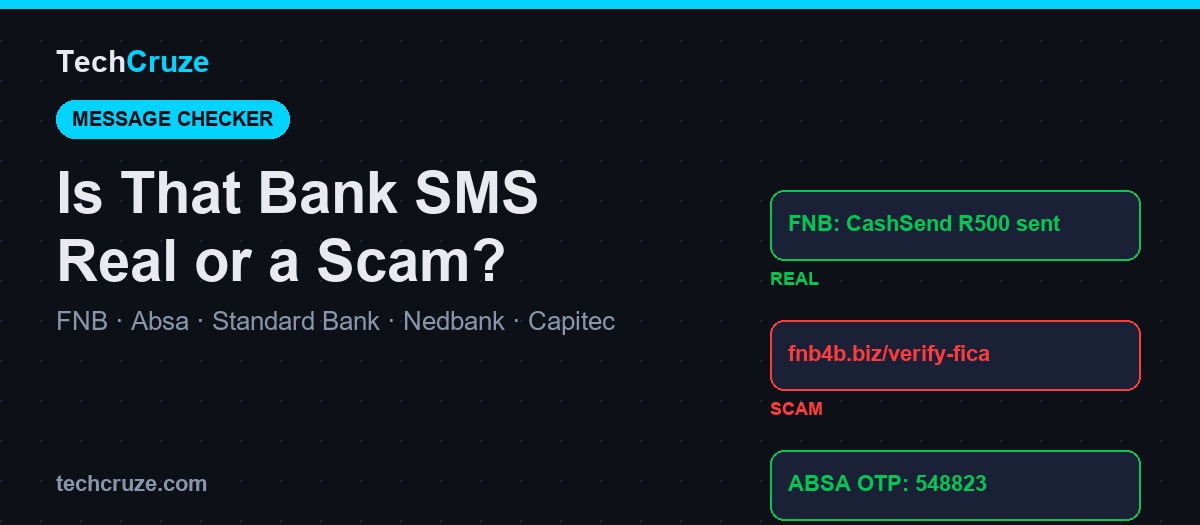
Short answer: a real South African bank SMS comes from a registered shortcode (not a 10-digit number), never contains a web link, and never asks you to click to "verify," "unlock," or "update" anything. If the message has a link, asks for an OTP, or comes from a normal phone number, treat it as a scam until you've independently confirmed it through your banking app or the number on your card.
Every week, TechCruze sees South Africans search for the exact wording of a message they just received from "their bank," trying to work out if it's real. This page exists to answer that directly: real examples, scam examples, and the specific confusions (app icons, fraud-detection pop-ups, overdue-account letters) that trip up even careful people.
🔑 Key Takeaway
You cannot verify a bank message by how it looks. Logos, formatting and even sender names can be faked. You verify it by checking the sender channel (shortcode vs. normal number, exact domain) and by confirming independently inside your banking app — never through a link or number inside the message itself.
What a Real Bank SMS Looks Like
South African banks use three main SMS formats. Scammers copy the visual style of all three, so the format itself (not the wording) is what to check.
| SMS Type | What It Contains | Red Flag If Present |
|---|---|---|
| CashSend / Instant Money | Sender name, amount, a numeric access PIN to withdraw at an ATM, no link | Contains a clickable link to "claim" the cash |
| Payment / transaction notification | Account suffix, amount, merchant or reference, running balance | Asks you to click to "dispute," "confirm," or "stop" the payment |
| OTP (one-time PIN) | A 6-digit numeric code, the action it's for, a short expiry window | Anyone asks you to read or forward the code to them |
Why we don't reprint exact message text
Real CashSend and payment SMS include another person's name, phone number or access PIN. Scammers also harvest these real formats to build convincing fakes. We describe the structure below instead of copying real transaction text, so this guide stays useful without handing scammers a template.
Bank-by-Bank Quick Reference
| Bank | Real SMS Sender | Real Email Domain | Fraud Line |
|---|---|---|---|
| FNB | "FNB" shortcode | @fnb.co.za only | 087 575 9444 |
| Absa | "ABSA" shortcode | @absa.co.za / @absa.africa | 0860 557 557 |
| Standard Bank | "StdBank" / "SBG" shortcode | @standardbank.co.za | 0800 020 600 |
| Nedbank | "Nedbank" shortcode | @nedbank.co.za | 0800 110 929 |
| Capitec | "Capitec" shortcode | @capitecbank.co.za | 0860 10 20 43 |
A domain match is necessary but not sufficient; the visible "From" name in an email can be spoofed even when it appears to end in the right domain. Treat the domain as one signal among several, not final proof.
5 Things People Keep Getting Confused About
"My banking app's logo changed overnight — did I get hacked?"
No. Banks push icon and branding refreshes through the App Store and Google Play, and your phone can apply the update automatically overnight. It is not a sign of compromise. Only worry if you installed the app from a link rather than the official app store — in that case, delete it and reinstall from the store directly.
"My banking app said the call I was on might be a scammer — how does it know that?"
This is a genuine fraud-prevention feature. Several SA banking apps detect when you're on an active phone call while performing a transaction, because "stay on the line while I guide you through this payment" is one of the most common social-engineering scripts used in SA bank fraud. If you see this warning, hang up and independently verify who called you.
"I got a message saying my home loan or account is overdue — real or scam?"
Could be either. Genuine overdue notices reference your correct name and a verifiable partial account number, and direct you to call a number you look up independently. Scam versions lean on urgency ("pay now to protect your credit record"), use generic greetings, and want you to reply or click rather than call the bank yourself. Always verify via the number on your card, never the number in the message.
"Is this email address really from my bank?"
Check the full domain after the @, not just the display name. Any address ending in a lookalike domain (extra words, wrong extension, hyphens) is fake. Even a correct-looking domain isn't 100% proof on its own — if the email asks you to click, log in, or confirm OTPs, verify independently instead of trusting the address alone.
"A link asked me to 'update my FICA details' — is that ever real?"
No South African bank sends an SMS link asking you to re-verify FICA/KYC or account details on an external page. That verification happens in-branch, in the official app, or through a secure upload inside your logged-in online banking profile — never via an unsolicited SMS or email link.
Real vs Scam: Side-by-Side
| Signal | Real Bank Message | Scam Message |
|---|---|---|
| Sender | Registered shortcode / exact bank domain | 10-digit number / lookalike domain |
| Links | None in SMS; email links go to the bank's real domain | Shortened, misspelled, or unfamiliar domain |
| Urgency | Informational, no countdown pressure | "Act now," "24 hours," "account will be frozen" |
| Requests OTP/PIN | Never | Directly or indirectly asks you to share it |
| Greeting | Your real name or account suffix | "Dear Customer" / "Dear Valued Client" |
The 60-Second Verification Method
Don't act from inside the message
No clicking, tapping, calling or replying using anything the message itself gives you.
Open your banking app from your home screen
Check your real notifications, balance and transaction history for a matching entry.
Confirm the sender channel
Registered shortcode or exact domain — not a normal phone number or lookalike address.
Call the number on your card if still unsure
Never the number printed in the message. Use the back of your physical card or the bank's official site.
Report it
Forward to your bank's official phishing address and report to SABRIC at 011 847 3000.
Block Phishing Links Before You Even See Them
NordVPN's Threat Protection and Bitdefender's anti-phishing engine both block known scam domains automatically, so a fake "FICA update" link gets stopped before it loads.
🔒 30-day money-back guarantee
Fraud Report Numbers (All Banks)
| Bank | Fraud / Report Line |
|---|---|
| FNB | 087 575 9444 |
| Absa | 0860 557 557 |
| Standard Bank | 0800 020 600 |
| Nedbank | 0800 110 929 |
| Capitec | 0860 10 20 43 |
| SABRIC (all banks) | 011 847 3000 |
Frequently Asked Questions
Almost always no. Banks regularly push app icon and branding updates through the App Store or Google Play, applied automatically overnight. It's not a sign of infection — unless you installed the app from a link rather than the official store, in which case delete and reinstall it from the store directly.
It's a genuine fraud-prevention feature that detects an active call during a transaction, because "stay on the line while I guide this payment" is a known SA fraud script. Hang up and verify the caller independently if you see this warning.
It could be either, so verify independently via the number on your card rather than the message. Genuine notices reference your correct name and a verifiable account number; scam versions lean on urgency and generic greetings and want a reply or click instead of a verified call.
The domain is the main signal, but it can be spoofed in the display name, so we don't verify individual inboxes. If an email asks you to click, log in or confirm an OTP, verify independently via the app or your card's number rather than trusting the address alone.
A short bank identifier, sender/recipient name, amount, and for CashSend a numeric access PIN — sent from a registered shortcode, never containing a clickable link. A "claim your cash here" link is always a scam.
No. FICA/KYC updates happen in-branch, in the official app, or via secure upload inside your logged-in profile — never via an unsolicited SMS link.
No — any reply or click confirms your number is active and monitored, inviting more targeted scams. Don't respond; report or delete it instead, and call the bank's official fraud line if you want to confirm.
Treat it as an active fraud attempt — someone likely already has your card or login details and is trying to complete a transaction. Never share the code with anyone, and call your bank's fraud line immediately from the number on your card.